Record a walk and see exactly where you went.
Stride lets you record a walk with GPS on iPhone. Follow your distance, elapsed time, steps, speed and elevation as you go, then review your route and stats when you finish.
 Download for iPhone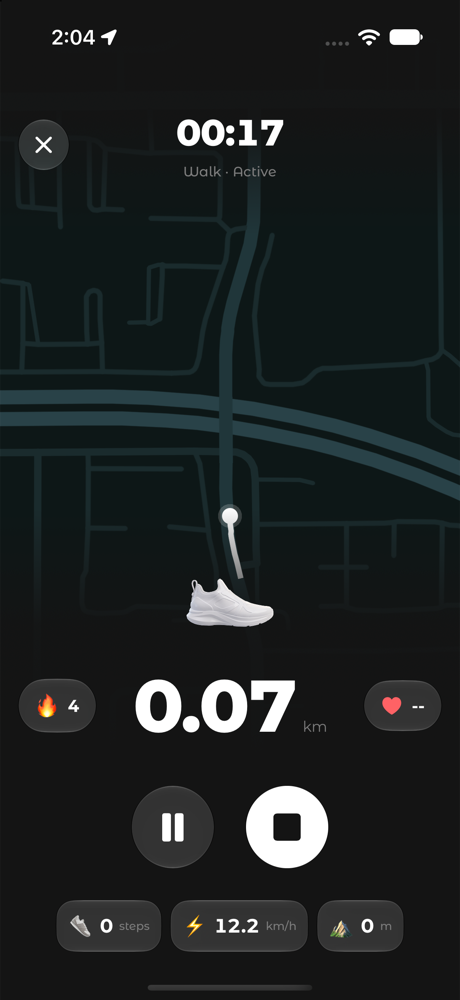
How to record a walk in Stride
- Open Stride and start a walk recording.
- Allow Location access so Stride can record your route.
- Walk. Follow distance, time, steps, speed and elevation live, or glance at the Live Activity on your Lock Screen.
- Pause or resume whenever you like, then finish the walk.
- Review your route and stats in your activity history.
Why record your walks
Live stats
Distance, time, steps, speed and elevation while you move.
Your route on a map
See the path you walked after you finish.
Lock Screen Live Activity
Follow your walk without opening the app, in a design and color you choose.
Imported workouts too
Workouts from Apple Health appear in your activity history, with heart rate when available.
Frequently asked questions
Can I record a walk with Stride for free?
Yes. Free includes a limited number of recordings per day. Stride Pro makes walk and run recording unlimited.
Does Stride track my walking route?
Yes. With Location permission, Stride records your route during a walk and shows it on a map afterwards.
Can I pause a walk recording?
Yes. You can pause, resume, or finish a recording whenever you like.