Record a run. Keep it simple.
Stride is a simple run tracker for iPhone. Record a run with GPS, follow distance, time and speed as you go, and review your route and stats afterwards alongside your walks.
 Download for iPhone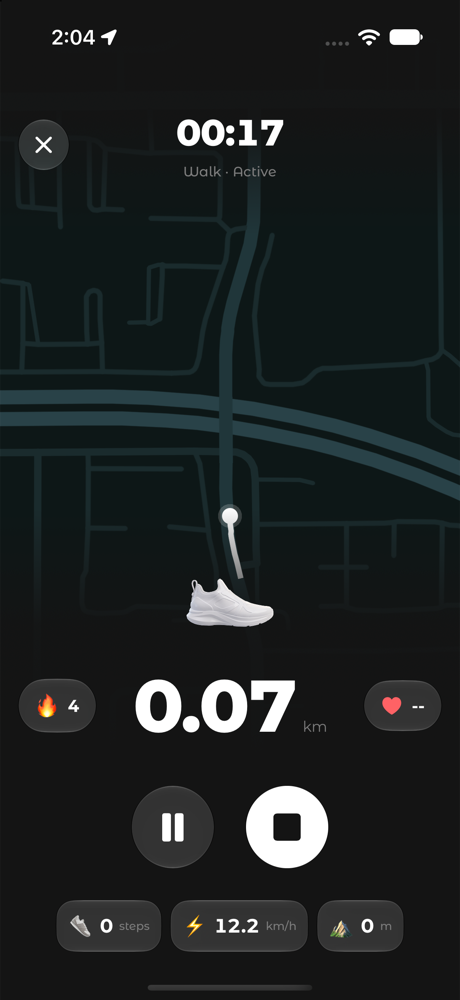
How to record a run in Stride
- Open Stride and start a run recording.
- Allow Location access so Stride can record your route.
- Run. Follow your distance, elapsed time and speed live.
- Pause or resume if you need to, then finish the run.
- Review your route and stats in your activity history.
Why use Stride as a run tracker
GPS distance and speed
Follow your run live without setting anything up.
Everything in one history
Runs, walks and imported Apple Health workouts live together.
Distance Focus Live Activity
Lead with distance on your Lock Screen for goal-minded runs (Stride Pro).
Track mileage per shoe
Select the pair you’re wearing to follow each shoe’s mileage.
Frequently asked questions
Can I record a run on iPhone without extra hardware?
Yes. Stride uses your iPhone’s GPS and motion sensors to record your run, so you don’t need extra hardware.
Is the run tracker free?
Free includes a limited number of recordings per day. Stride Pro makes recording unlimited.
Can I see my running route?
Yes. After you finish, review your route and stats in your activity history.